

What the Bankrate Amortization Calculator Shows You (And Why It Matters)
The Bankrate amortization calculator is a free online tool that breaks down every mortgage payment into its two core components: how much goes toward paying off your loan balance (principal) and how much goes to the lender as interest.
Here’s how to use it in 5 steps:
- Enter your loan amount (e.g., $400,000)
- Enter your loan term (e.g., 30 years)
- Enter your interest rate (e.g., 6.10%)
- Enter your loan start date
- Optionally, add extra monthly, yearly, or one-time payments
The calculator then generates a full amortization schedule — a month-by-month table showing your payment breakdown, remaining balance, and payoff date.
Most people assume their mortgage payment chips away at their loan balance fairly evenly over time. The reality is very different.
On a $400,000 30-year mortgage at 6.10%, your monthly principal and interest payment is $2,424. But in the early years, the vast majority of that goes straight to interest — not to building equity. After five full years of payments totaling over $145,000, only about $27,326 has actually reduced your loan balance.
That’s a frustrating truth — but it’s one that an amortization calculator makes impossible to ignore.
For busy professionals trying to build wealth and plan for retirement, seeing this breakdown changes everything. It turns an abstract monthly bill into a payoff roadmap you can actually act on.
Handy bankrate amortization calculator terms:
- amortization schedule calculator
- amortization schedule with extra payments
- amortization schedule with fixed monthly payment
Understanding the Easy Invest Amortization Calculator and How It Works
At Easy Invest Calc, we believe that financial clarity shouldn’t require a PhD in mathematics. Amortization is simply the process of spreading out a loan into a series of fixed payments over time. While the total payment stays the same (assuming a fixed rate), the “ingredients” inside that payment shift constantly.
The bankrate amortization calculator works by applying a standard mathematical formula to your loan details. Every month, the interest is calculated based on your remaining principal balance. Because your balance is highest at the beginning of the loan, your interest charges are also at their peak. As you chip away at the debt, the interest portion shrinks, allowing more of your hard-earned money to go toward the principal.
Understanding this mechanic is vital for anyone looking to master their debt. If you are interested in the deeper mechanics of how these schedules are built, check out The Ultimate Guide to Fixed Rate Amortization.
Key Inputs Required for the Amortization Calculator
To get the most accurate results from the bankrate amortization calculator, you need to have a few specific numbers ready. Guessing can lead to a “sticker shock” later on, so we recommend gathering these details before you start:
- Loan Amount: This is the total amount you are borrowing, not the home’s purchase price. Remember to subtract your down payment from the total price!
- Loan Term: This is the duration of the loan, typically 15, 20, or 30 years for mortgages.
- Interest Rate: The annual percentage rate (APR) you’ve been quoted. Even a 0.5% difference can change your total interest by tens of thousands of dollars.
- Start Date: Knowing when your first payment is due allows the calculator to provide a real-world calendar view of your payoff journey.
For the most precise calculation, we suggest having your loan estimate or closing disclosure handy to verify these figures.
Step-by-Step Guide: Estimating Your Monthly Mortgage Payments
Using the bankrate amortization calculator is a straightforward process, but it’s about more than just clicking “calculate.” It’s about exploring scenarios. We recommend starting with your “base case”—the loan you think you’ll get—and then running a few “what-ifs.”
First, enter your home price and down payment. The calculator will automatically determine your principal loan amount. Next, input the interest rate. If you aren’t sure what rate you’ll qualify for, current May 2026 data suggests looking at averages based on your credit score range. Finally, choose your term.
As you review the results, keep the “28/36 rule” in mind. This classic affordability guideline suggests that your housing costs shouldn’t exceed 28% of your gross monthly income, and your total debt payments shouldn’t exceed 36%. While this isn’t always easy in today’s market, it remains a gold standard for financial health.

Why the Easy Invest Amortization Calculator Outperforms Standard Tools
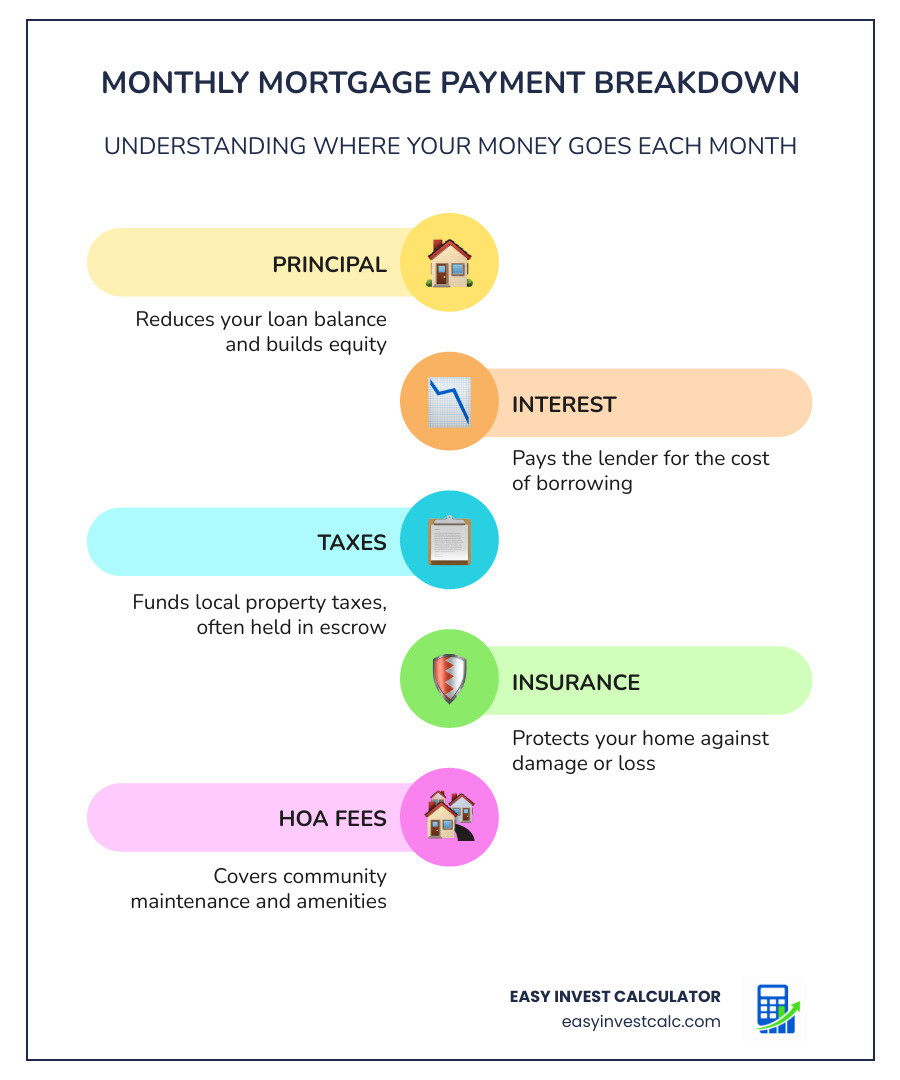
While basic calculators tell you your “P&I” (Principal and Interest), they often leave out the “hidden” costs of homeownership. A truly useful tool needs to account for the full PITI breakdown.
Standard tools often ignore:
- Property Taxes: These vary wildly by ZIP code and can add hundreds to your monthly bill.
- Homeowners Insurance: A requirement for any mortgaged property.
- HOA Fees: If you’re moving into a managed community, these are non-negotiable monthly costs.
- PMI (Private Mortgage Insurance): If your down payment is less than 20%, you’ll likely pay this monthly fee, which typically ranges from 0.46% to 1.50% of the loan amount annually.
By including these factors, you get a realistic view of your budget. To see how these components interact, explore our Amortization Schedule Calculator Principal vs Interest.
Visualizing the Tipping Point: Principal vs. Interest Over Time
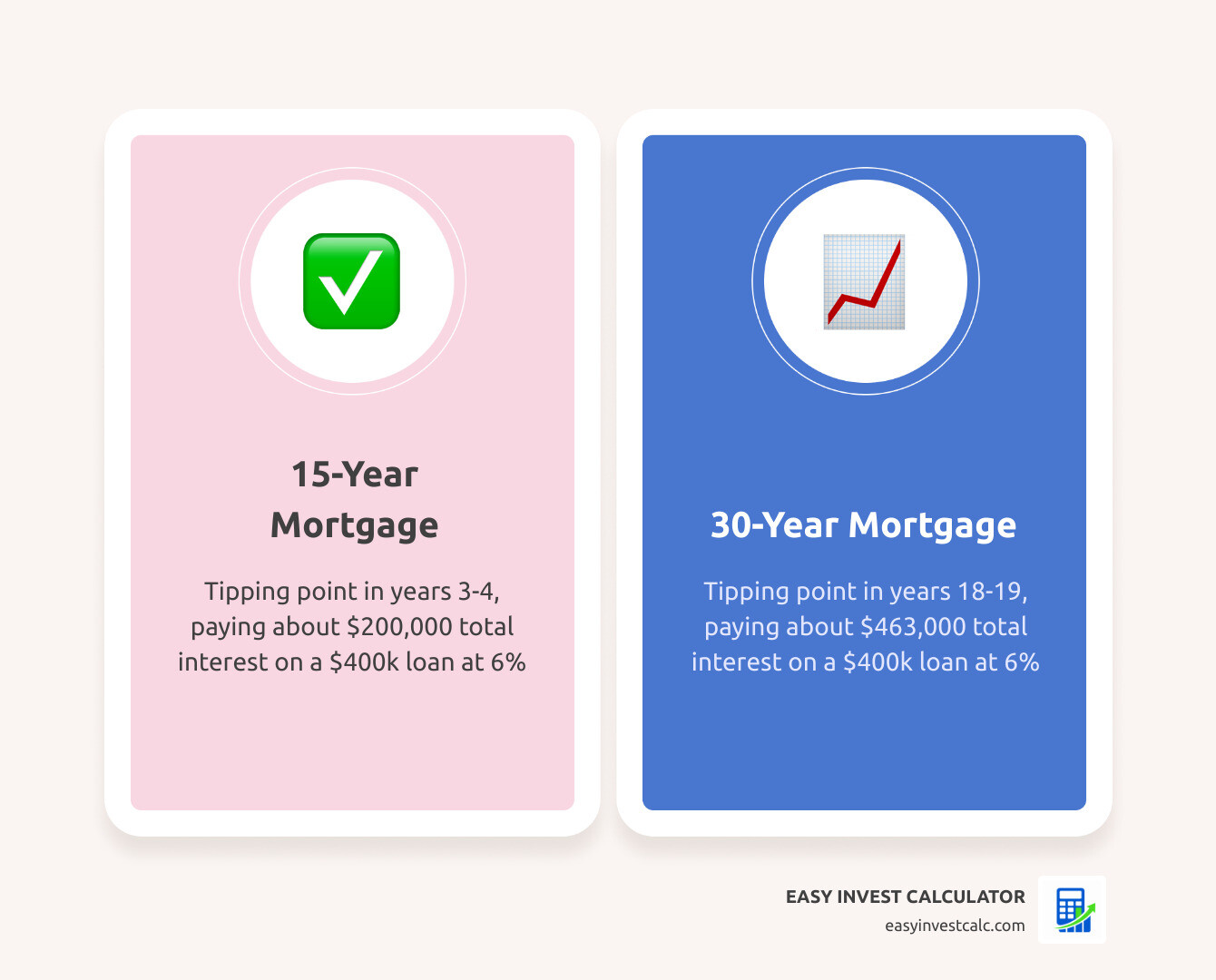
One of the most eye-opening features of the bankrate amortization calculator is the “tipping point.” This is the specific month where the amount of your payment going toward principal finally becomes larger than the amount going toward interest.
On a conventional 30-year fixed loan, this tipping point typically doesn’t occur until year 18 or 19! In contrast, a 15-year mortgage reaches its tipping point much faster, usually by year three or four.
| Loan Term | Tipping Point (Year) | Total Interest on $400k @ 6% |
|---|---|---|
| 15-Year Fixed | Year 3 or 4 | ~$200,000 |
| 30-Year Fixed | Year 18 or 19 | ~$463,000 |
As you can see, the 30-year loan results in you paying more in interest than the original loan was even worth! This is why understanding your schedule is so critical. For those dealing with more complex loan structures, you might also want to look at our Amortization Schedule with Balloon Payment to see how a large final payment changes the math.
How the Easy Invest Amortization Calculator Displays Equity Growth
Equity is the portion of the home you actually “own” (the home value minus what you owe the bank). In the early years of a mortgage, equity grows at a snail’s pace because your payments are so interest-heavy.
The bankrate amortization calculator visualizes this through a remaining balance chart. It shows you exactly how much equity you’ll have in five, ten, or twenty years. This is crucial for planning when you can cancel your PMI or when you’ll have enough equity to take out a home equity loan for renovations.
Research from the Federal Reserve often highlights that for the average household, home equity is the largest component of their net worth. Tracking this growth isn’t just about numbers; it’s about tracking your progress toward true financial independence.
Strategic Financial Planning: Extra Payments and Refinancing
If the thought of waiting 18 years to reach your tipping point makes you uneasy, there is a solution: extra payments. Even small, consistent additions to your monthly principal can have a massive compounding effect.
By adding just $100 extra to a monthly payment on a $400,000 mortgage, you can shave years off your loan term and save tens of thousands in interest. The bankrate amortization calculator allows you to test these scenarios effortlessly. You can see how a yearly tax refund applied to the principal or a small monthly “rounding up” changes your debt-free date.
To dive deeper into these strategies, we recommend checking out our guide on the Amortization Schedule with Extra Payments.
Factoring Extra Payments into the Amortization Calculator
When using the calculator to plan your “attack” on debt, you have three main options for extra payments:
- Monthly Extra: Adding a set amount to every single payment. This is the most effective way to build a habit of accelerated payoff.
- Yearly Extra: Applying a lump sum once a year (like a bonus or tax refund).
- One-Time Payment: Applying a windfall, such as an inheritance or the proceeds from selling another asset.
Each of these options reduces the principal balance immediately, which in turn reduces the interest charged in every subsequent month. It’s a snowball effect that works in your favor. You can experiment with these numbers using our Amortization Calculator with Extra Payments.
Frequently Asked Questions about Amortization
What are the limitations of the amortization calculator?
While the bankrate amortization calculator is an incredible planning tool, it’s important to remember that it is an estimate. It typically assumes a fixed interest rate for the life of the loan. If you have an Adjustable-Rate Mortgage (ARM), the schedule will change once your introductory period ends.
Additionally, the calculator cannot predict future changes in property tax rates or homeowners insurance premiums. These “escrow” items often increase over time, meaning your total monthly payment will likely go up even if your principal and interest stay the same.
Can I use this tool for auto or personal loans?
Yes! While often used for mortgages, the amortization logic applies to almost any installment loan. Auto loans and personal loans are almost always fixed-rate, amortized loans.
Using the calculator for a car loan can be particularly helpful. For example, comparing a 3-year car loan to a 5-year loan might show that while the 5-year payment is lower, the total interest cost is nearly double. We provide a variety of specialized tools for these different needs, including our EMI Calculator.
How does the calculator help with refinancing decisions?
Refinancing is essentially “trading in” your old loan for a new one with better terms. The bankrate amortization calculator helps you find the “break-even point”—the moment when the interest savings from your new, lower rate finally outweigh the closing costs of the new loan.
A common rule of thumb is the “1% rule”—if you can lower your rate by at least 1%, it’s usually worth looking into. However, if you are already 15 years into a 30-year mortgage, refinancing into a new 30-year loan might actually cost you more in the long run because you’re resetting the interest-heavy part of the schedule. The calculator lets you see the total cost of both paths so you can choose the one that actually saves you money.
Conclusion
Financial empowerment begins with understanding where your money is going. The bankrate amortization calculator is more than just a digital abacus; it’s a tool for taking control of your largest financial commitment. By visualizing the breakdown of principal and interest, identifying your tipping point, and strategizing with extra payments, you move from being a passive borrower to an active wealth builder.
At Easy Invest Calc, we are dedicated to providing the tools you need to make these decisions with confidence. Whether you are buying your first home in May 2026 or looking to pay off your current mortgage early, our resources are here to help. Start your journey today by exploring our EMI Calculator and see how much you could save.