

What an Amortization Schedule Calculator Actually Shows You
An amortization schedule calculator is a tool that breaks down every loan payment into two parts: how much goes to interest, and how much reduces your actual debt (principal).
Here’s a quick snapshot of what it tells you:
| Output | What It Means |
|---|---|
| Monthly payment | Fixed amount you owe each period |
| Interest portion | Cost of borrowing for that month |
| Principal portion | Amount that reduces your balance |
| Remaining balance | What you still owe after each payment |
| Total interest paid | Full cost of the loan over its lifetime |
To generate your loan repayment table, you need four things:
- Loan amount (principal)
- Annual interest rate
- Loan term (in years or months)
- Start date (optional, for accurate payment dates)
Enter those into a calculator and you get a full repayment schedule — row by row, payment by payment.
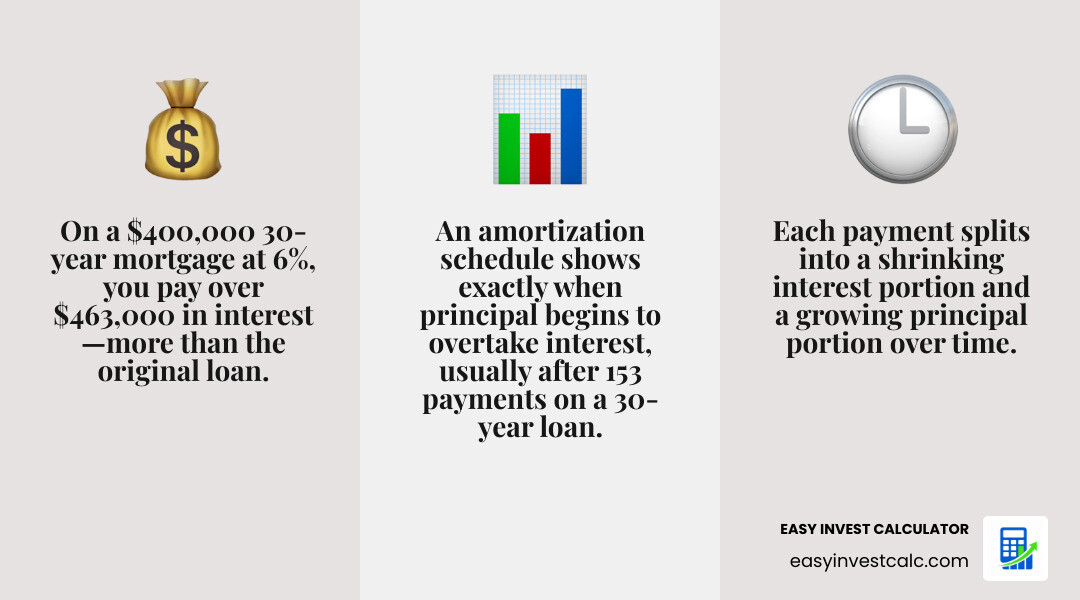
Most people know their monthly payment. Fewer know that on a $400,000 mortgage at 6% over 30 years, they’ll pay more than $463,000 in interest alone — more than the original loan itself. That’s not a typo.
The monthly payment number your lender gives you tells you what you owe. An amortization schedule tells you why — and more importantly, what you can do about it.
That’s the real power of this tool: not just seeing your payment, but understanding exactly where every dollar goes, when your balance starts dropping meaningfully, and how small changes (like one extra payment a year) can save you years of debt and tens of thousands of dollars.
How an Amortization Schedule Calculator Works
At its core, an amortization schedule calculator is a mathematical engine designed to solve one primary riddle: how can we keep your monthly payment exactly the same while the “ingredients” of that payment change every single month?
When you take out a fixed-rate loan, like a standard mortgage or an auto loan, your lender uses a process called amortization. This ensures that by the time you reach your very last payment, your balance is exactly zero. To do this, the calculator takes your total debt and spreads it across the term, but it calculates interest based on what you currently owe.

As we navigate finance at EasyInvestCalc, we emphasize that these tools provide more than just a table; they provide a roadmap. By using our EMI Calculator, you can instantly see how your monthly installments are structured. The calculator doesn’t just guess; it follows rigid mathematical laws.
Understanding the Standard Amortization Formula
If you were to peek under the hood of an amortization schedule calculator, you would find the “Annuity Formula.” While it looks like a jumble of Greek letters and exponents to the uninitiated, it’s actually quite elegant.
The formula used to calculate a fixed periodic payment (M) is: M = P [ i(1 + i)^n ] / [ (1 + i)^n – 1 ]
Where:
- M = Total monthly payment
- P = Principal loan amount
- i = Monthly interest rate (annual rate divided by 12)
- n = Number of months (term years multiplied by 12)
This formula ensures that the interest is paid first based on the remaining balance, and whatever is left over from your monthly payment goes toward the principal. Because your principal balance drops every month, the interest for the next month is slightly lower, leaving more room for principal reduction. It’s a beautiful, self-reinforcing cycle—if you have the patience for it!
Key Inputs for Accurate Results
To get a result that actually matches your bank statement, you need to provide the amortization schedule calculator with precise data. Garbage in, garbage out!
- Loan Amount: This is the total “sticker price” of the debt after your down payment.
- Interest Rate: This should be the Annual Percentage Rate (APR). The calculator will automatically convert this to a monthly rate for its internal math.
- Term Length: Usually expressed in years (e.g., 15, 20, or 30).
- Start Date: While not strictly necessary for the math, entering May 2026 as your start date allows the calculator to tell you exactly which year and month you will finally be debt-free.
- Extra Payments: This is the “secret sauce.” Adding even a small extra principal payment can drastically alter the trajectory of the schedule.
The Anatomy of a Loan Payment: Principal vs. Interest
Every time you send a check to your lender, a “tug-of-war” happens inside your account. In the beginning, the interest is the heavyweight champion, taking the lion’s share of your money. As time goes on, the principal gains strength.
Understanding this balance is vital for distinguishing between Good Debt vs Bad Debt. Good debt usually involves an appreciating asset (like a home) where the amortization process eventually builds significant equity.
| Feature | 15-Year Fixed Mortgage | 30-Year Fixed Mortgage |
|---|---|---|
| Monthly Payment | Higher | Lower |
| Total Interest Paid | Significantly Lower | Significantly Higher |
| Equity Growth | Rapid | Slow (especially in first 10 years) |
| Interest Rate | Typically lower | Typically higher |
On a $200,000 fixed mortgage for 30 years at 4% interest, the numbers are eye-opening. For the first several years, you are barely making a dent in the actual debt. In fact, it takes 153 payments (nearly 13 years!) before more of your money is directed to the principal than to interest.
The Tipping Point: When Principal Overtakes Interest
In an amortization schedule calculator, the “Tipping Point” is the holy grail. This is the specific month where the interest portion of your payment becomes smaller than the principal portion.
- For a 30-year loan: This usually happens around year 18 or 19.
- For a 15-year loan: This happens much faster, typically around year 3 or 4.
Before this point, you are in the “interest-heavy phase.” You are essentially paying the bank for the privilege of holding their money. After the tipping point, you enter the “principal-heavy phase,” where your home equity begins to skyrocket. Seeing this visually on a chart helps many borrowers realize why a 15-year term is so much more efficient for wealth building.
Why Interest is Front-Loaded in Early Years
Lenders don’t “front-load” interest because they are being mean; it’s a result of how the math works. Interest is calculated as a percentage of your remaining balance.
When you first start your loan in May 2026, your balance is at its highest. Therefore, the interest charge is at its highest. As you chip away at the principal, the “pool” of money that interest is calculated on gets smaller. Even though your total monthly payment stays the same, the bank takes a smaller “cut” for interest, leaving a larger “slice” for the principal.

Accelerating Payoff with an Amortization Schedule Calculator
If looking at a 30-year schedule makes you feel a bit claustrophobic, don’t worry. You aren’t stuck with that timeline. You can use an amortization schedule calculator to simulate “financial time travel” by adding extra payments.
Using our tool for an Amortization Schedule with Extra Payments reveals how you can bypass the front-loaded interest. When you make a “principal-only” payment, that money doesn’t get split. 100% of it goes toward reducing your balance, which permanently lowers the interest charged for every single month that follows.
Impact of Monthly vs. Annual Extra Payments
Small changes lead to massive savings. The research shows that:
- Making an extra $1,000 annual payment on a standard mortgage can save over $15,000 in interest and shorten the loan by about 2 years.
- Upping that to an extra $2,000 annual payment can save approximately $30,000+ in interest and shorten the loan by about 4 years.
This is why we call Extra Payments: The Secret Sauce for Debt Freedom. Whether you choose to pay a little extra every month or a lump sum once a year, you are effectively “deleting” future interest payments that would have otherwise cost you thousands.
Using Amortization Data for Refinancing Decisions
An amortization schedule calculator is also the ultimate BS-detector for refinancing. A lower interest rate sounds great, but refinancing “resets” your amortization clock.
If you are 10 years into a 30-year mortgage, you have already paid a massive amount of front-loaded interest. If you refinance into a new 30-year mortgage, even at a lower rate, you might end up paying more in total interest because you’ve gone back to the start of the interest-heavy phase.
Expert Tip: Always calculate your “break-even point.” This is how long it will take for the monthly savings from a lower rate to cover the closing costs of the new loan. If you plan to move before that point, refinancing is usually a bad deal.
Limitations and Real-World Considerations
As much as we love our amortization schedule calculator, it’s important to remember what it doesn’t show. In the real world, your mortgage payment is often higher than the principal and interest (P&I) alone.
Most homeowners pay “PITI,” which stands for:
- Principal
- Interest
- Taxes (Property taxes)
- Insurance (Homeowners insurance)
While the P&I stays the same on a fixed-rate loan, your taxes and insurance will likely go up over time, meaning your total monthly out-of-pocket cost will fluctuate. This is often managed through an escrow account, which lenders use to collect and pay these additional costs on your behalf.
Fixed-Rate vs. Adjustable-Rate Amortization
The schedules we’ve discussed so far are for fixed-rate loans. If you have an Adjustable-Rate Mortgage (ARM), your amortization schedule calculator results are only a “best-guess” for the initial fixed period (usually 5, 7, or 10 years).
Once the rate adjusts based on market conditions, the entire schedule is recalculated. This is known as “payment shock.” If interest rates rise, your monthly payment will increase to ensure the loan still hits a zero balance by the end of the term. For this reason, ARMs are much harder to plan for long-term.
What Your Calculator Might Be Missing
To be fully prepared for May 2026 and beyond, keep these “hidden” factors in mind:
- Private Mortgage Insurance (PMI): If your down payment was less than 20%, you’re likely paying PMI. This is an extra fee that doesn’t reduce your principal or count as interest.
- Prepayment Penalties: Some loans (though rarely modern standard mortgages) charge a fee if you pay the loan off too early. Always check your loan documents before making massive extra payments.
- HOA Fees and Maintenance: These aren’t part of your loan, but they are part of your “housing “budget.” An amortization table won’t show you the $5,000 you’ll need for a new water heater in five years!
Frequently Asked Questions about Amortization
What is the best amortization schedule calculator for mortgages?
The best calculator is one that allows for “what-if” scenarios. Look for a tool that handles extra payments (monthly, yearly, and one-time) and provides a clear breakdown of total interest versus principal. Accuracy is paramount, so ensure the tool uses the standard annuity formula. At EasyInvestCalc, we pride ourselves on providing fast, user-friendly tools that give you the full picture instantly.
How do extra payments change my amortization schedule calculator results?
Extra payments accelerate the “tipping point.” By reducing the principal balance faster than scheduled, you reduce the amount of interest that can be charged in all subsequent months. This creates a compounding effect of savings. On a $200,000 loan, choosing a 15-year term instead of 30 years saves a staggering $77,452 in interest. Extra payments mimic this effect even if you have a 30-year loan.
Can I use an amortization calculator for auto and personal loans?
Absolutely! Any installment loan with a fixed rate and fixed term uses the same math. Whether it’s a 5-year car loan or a 3-year personal loan, the amortization schedule calculator will show you how much of your “low monthly payment” is actually going toward the car and how much is going to the bank’s profit margin.
Conclusion
Understanding your loan’s journey is the first step toward true financial empowerment. An amortization schedule calculator isn’t just a table of numbers; it’s a strategy guide. It shows you exactly where you stand today and where you will be a decade from now.
By visualizing the split between principal and interest, you can make informed decisions about refinancing, choosing a loan term, or deciding when to aggressively pay down debt. At EasyInvestCalc, we believe that when you have the right tools, financial planning becomes effortless.
Ready to see your own numbers? Use our EMI Calculator today to generate your custom repayment table and start your path toward debt freedom.