

What Is the Bret Whissel Amortization Calculator and How Do You Use It?
The Bret Whissel amortization calculator is a free, web-based loan calculator that lets you solve for any unknown loan variable — monthly payment, principal, interest rate, or loan term — by simply leaving that field blank and clicking Calculate.
Quick answer for anyone who wants to get started right now:
| Step | What to Do |
|---|---|
| 1 | Go to the Bret Whissel amortization calculator tool |
| 2 | Enter the values you know (principal, interest rate, number of payments) |
| 3 | Leave the value you want to find blank or set it to zero |
| 4 | Click Calculate to get your result and full amortization schedule |
It works for standard mortgages, car loans, credit card debt payoff, balloon payment loans, and even negative amortization scenarios.
Figuring out loan payments can feel like a math headache — especially when you’re trying to plan for a mortgage, an early payoff, or retirement. Most basic calculators only do one thing: tell you your monthly payment. This tool goes further.
Originally built in 1986 for personal use and brought to the web in 1994, this calculator has been quietly helping everyday borrowers — and even some finance professionals — run through complex loan scenarios for decades.
What makes it stand out is its flexibility. You don’t have to know every variable going in. You just need to know most of them, and the calculator figures out the rest.
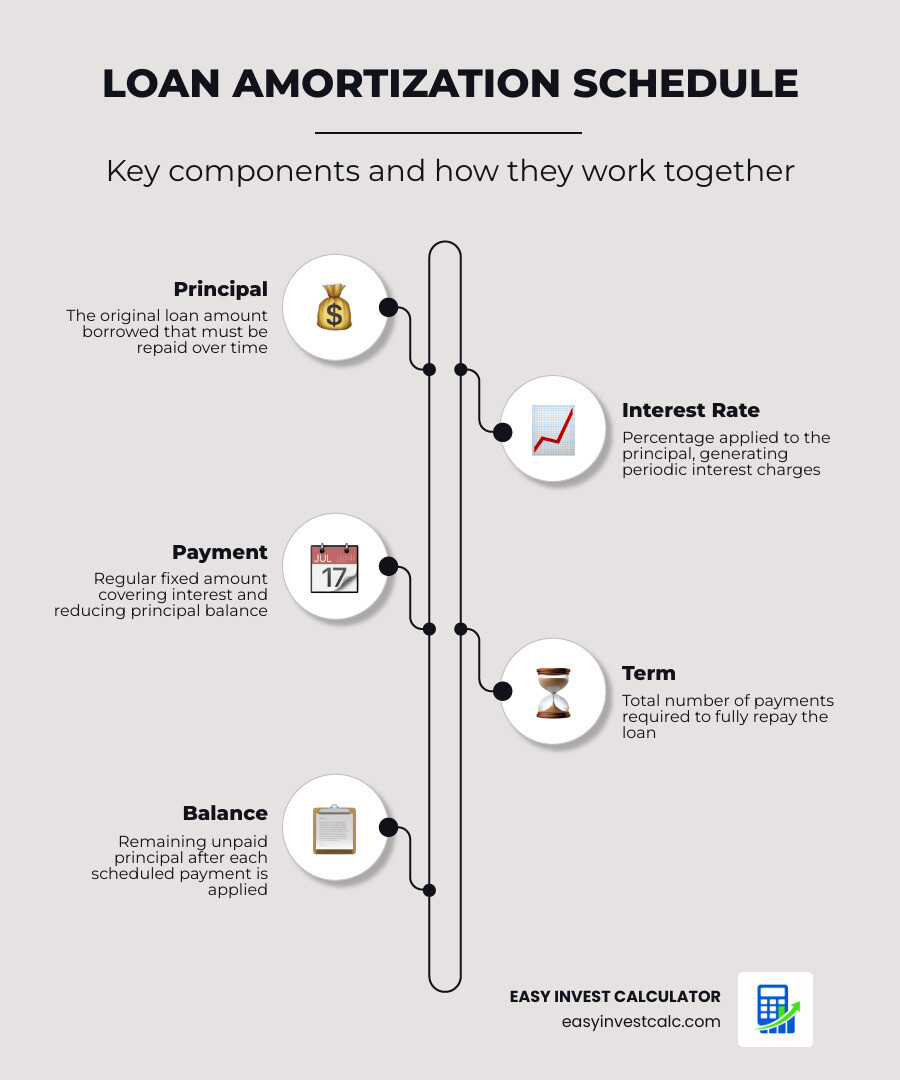
Know your bret whissel amortization calculator terms:
- amortization schedule calculator
- amortization calculator with extra payments
- amortization schedule with fixed monthly payment
The History and Evolution of the Bret Whissel Amortization Calculator

We often take modern web tools for granted, but the bret whissel amortization calculator has a history that spans nearly four decades. As we look at it today in May 2026, it remains a testament to functional, straightforward design.
The calculator’s story began in 1986. Bret Whissel originally wrote the program for his personal use to manage credit card debt after college. It wasn’t a web tool back then; it was a piece of software designed to help one person understand how long it would take to pay off high-interest balances.
By 1994, as the World Wide Web began to take shape, Whissel rewrote the tool for the web. For many years, it was hosted on a server within the Florida State University (FSU) Meteorology Department. Even though the tool had nothing to do with weather patterns, it became a staple resource for people across the globe.
In 2008, the calculator migrated to its current home on a personal domain. Over the years, it has undergone several vital updates to keep it relevant:
- Responsive Design: The interface was modernized to ensure it scales correctly on mobile devices and tablets.
- Bug Fixes: Even long-standing math tools need occasional refinement. Updates have addressed edge cases like negative amortization and rounding inconsistencies.
- Capacity Increases: The calculator originally had a limit of about $21.4 million. It was later updated to handle loan amounts under $10 billion, making it useful for large-scale commercial projects.
Understanding the history of these tools helps us appreciate the mathematical rigor behind them. For a deeper look at how these loans function, you can explore The Ultimate Guide to Fixed Rate Amortization.
Key Features of the Bret Whissel Amortization Calculator
What sets this tool apart from the thousands of other calculators online? It isn’t just about finding a monthly payment; it’s about solving the “unknown.”
- Solving for Unknowns: Most calculators require you to know your loan amount, rate, and term to find the payment. With the bret whissel amortization calculator, you can leave any field blank. Want to know what interest rate you’d need to afford a specific payment? Leave the rate field blank. Want to know how much you can borrow? Leave the principal blank.
- Balloon Payments: It handles loans that don’t fully pay off by the end of the term, leaving a “balloon” balance. You can learn more about this in our guide on Amortization Schedule with Balloon Payment.
- Negative Amortization: If your payment is too low to cover the interest, the calculator will show you how the debt grows over time.
- Principal vs. Interest Breakdown: It provides a clear visual of how your money is allocated each month. For a detailed look at this balance, check out the Amortization Schedule Calculator Principal vs Interest.
How to Use the Bret Whissel Amortization Calculator to Solve for Unknowns
Using the tool is remarkably simple once you understand the “blank field” rule. The calculator features five main input fields:
- Principal Loan Amount: The total amount you are borrowing.
- Annual Interest Rate: The yearly percentage rate (APR).
- Number of Regular Payments: How many months (or periods) the loan lasts.
- Balloon Payment: Any remaining balance due at the end of the term.
- Payment Amount: Your periodic (usually monthly) payment.
To solve for any of these, simply enter “0” or leave the box empty for the value you want to find. For example, if you are looking at a car loan and know you can only afford $400 a month at a 5% interest rate for 60 months, you would leave the “Principal Loan Amount” blank. Clicking calculate will tell you exactly how much car you can afford. This is particularly helpful when planning an Auto Amortization Schedule.
Mathematical Principles and Accuracy in Calculations

Accuracy is the cornerstone of any financial tool. We often get asked how the bret whissel amortization calculator remains so precise. The answer lies in its adherence to standard mathematical derivations of the amortization equation.
The calculator uses a periodic repayment calculation. This means it assumes the interest is compounded at the same frequency as the payments. While some international loans (like certain Canadian mortgages) use different compounding methods, this calculator follows the standard U.S. convention.
Rounding and The Final Payment
A common point of confusion in amortization is why the final payment is often a few cents or dollars different from the regular payments. The bret whissel amortization calculator handles this by:
- Rounding the interest and principal components of each payment to the nearest penny.
- Tracking the “residual” principal.
- Adjusting the very last payment to ensure the debt is exactly zero at the end of the term.
This “liquidation adjustment” is a standard practice in the banking industry to prevent tiny fractions of a cent from leaving a permanent balance on the books. For more technical details, you can consult Bret’s Amortization Calculator FAQ.
Handling Negative Amortization and Balloon Payments
Negative amortization occurs when your payment amount is less than the interest due for that period. Instead of the balance going down, the unpaid interest is added to the principal, causing the debt to grow.
The bret whissel amortization calculator is one of the few free tools that handles this scenario without crashing. It will generate a schedule showing the principal balance increasing month over month. This is a critical feature for those looking at specialized loan products or trying to understand the dangers of minimum payments on high-interest credit cards.
Similarly, if you’re looking at a car loan with a large final payment, you can use our The Ultimate Amortization Calculator Car Loan alongside Bret’s tool to see how a balloon payment affects your monthly cash flow.
Managing Extra Payments and Advanced Loan Scenarios
One of the most powerful ways to use an amortization tool is to plan for debt freedom. By adding extra money to your principal each month, you can drastically shorten the life of your loan and save thousands in interest.
In the bret whissel amortization calculator, you can simulate extra payments by simply increasing the “Payment Amount” field. If the calculator determines that your payment is higher than the minimum required to pay off the loan in the specified number of months, it will show you how much sooner the loan will be satisfied.
We call this the “secret sauce” of wealth building. You can find more strategies on this in our article Extra Payments the Secret Sauce for Debt Freedom. To see a side-by-side comparison of your standard vs. accelerated schedule, try our Amortization Calculator with Extra Payments.
When to Use the Web Tool vs. the Amortization Spreadsheet
While the web-based bret whissel amortization calculator is fantastic for quick “what-if” scenarios, Bret also provides a downloadable Excel spreadsheet for more complex tracking.
Use the Web Tool for:
- Quickly solving for a missing variable (like interest rate).
- Generating a standard schedule to print.
- Checking the “cross-over point” where principal exceeds interest.
Use the Spreadsheet for:
- Variable Extra Payments: If you want to pay an extra $100 one month and $500 the next.
- Fiscal Year Summaries: If you need to know exactly how much interest you paid between January and December for tax purposes.
- Tracking Fees: The spreadsheet allows for late charges, insurance, and taxes to be included in the total tracking.
- Escrow Handling: Standard calculators only look at principal and interest (P&I). The spreadsheet can help you track the full PITI (Principal, Interest, Taxes, and Insurance).
For those who prefer a dedicated tool for these advanced scenarios, we recommend our Amortization Schedule with Extra Payments.
Frequently Asked Questions
How does the calculator handle the final payment?
The calculator employs a liquidation adjustment. Because interest is rounded to the nearest penny every month, the math rarely ends in a perfect zero. The calculator adjusts the final payment (up or down) to ensure the principal balance is completely cleared.
Can I calculate a loan with a balloon payment?
Yes. If you know you will have a remaining balance (for example, a $10,000 “balloon” at the end of 5 years), you enter that amount in the “Balloon Payment” field. The calculator will then adjust the monthly payments or other variables to account for that future value.
What is the “cross-over point” in the schedule?
The cross-over point is the specific month in your loan term when the amount of your payment going toward principal finally becomes larger than the amount going toward interest. In a 30-year mortgage, this often doesn’t happen until many years into the loan. Identifying this point is a great motivator for building equity faster.
Conclusion
The bret whissel amortization calculator remains one of the most reliable and flexible tools in personal finance. Whether you are a first-time homebuyer trying to understand your mortgage or someone looking to crush credit card debt, its ability to solve for unknowns makes it an essential part of your financial toolkit.
At EasyInvestCalc, we believe that financial clarity should be accessible to everyone. Tools like this empower you to take control of your debt and plan for a more secure future. By understanding the math behind your loans, you can make smarter decisions about when to refinance, how much to pay extra, and how to reach debt freedom faster.
Ready to see how your loan stacks up? Calculate your loan today with our EMI Calculator and start your journey toward financial independence.